How to Migrate from BigCommerce to Shopify (and Keep Your Product Dimensions Intact)
Transitioning from one e-commerce platform to another? Learn how to manage product dimensions effectively for accurate shipping with a helpful app.

Using Dimension App in Shopify
Configure Dimensional Weight
Precise measurements are the backbone of accurate dimensional weight calculations. The Dimension App allows you to input length, width, and height directly within your Shopify admin. You can even choose your preferred units and update dimensions in bulk - ideal for stores with extensive product catalogs.
The Smart Way to Move from BigCommerce to Shopify (Without Losing Dimensions)
Switching platforms can feel overwhelming, but breaking the process into manageable steps makes it much easier. Here’s how to move from BigCommerce to Shopify while ensuring your shipping settings are properly configured.
Configure Your Shopify Shipping Settings
Once you’ve successfully imported your product data into Shopify, the next step is to review and adjust your shipping settings. Head to the Shopify admin panel and double-check that all shipping zones and weight/dimensional details are accurate. This ensures your customers get the correct shipping options during checkout.
Install and Set Up the Dimension App
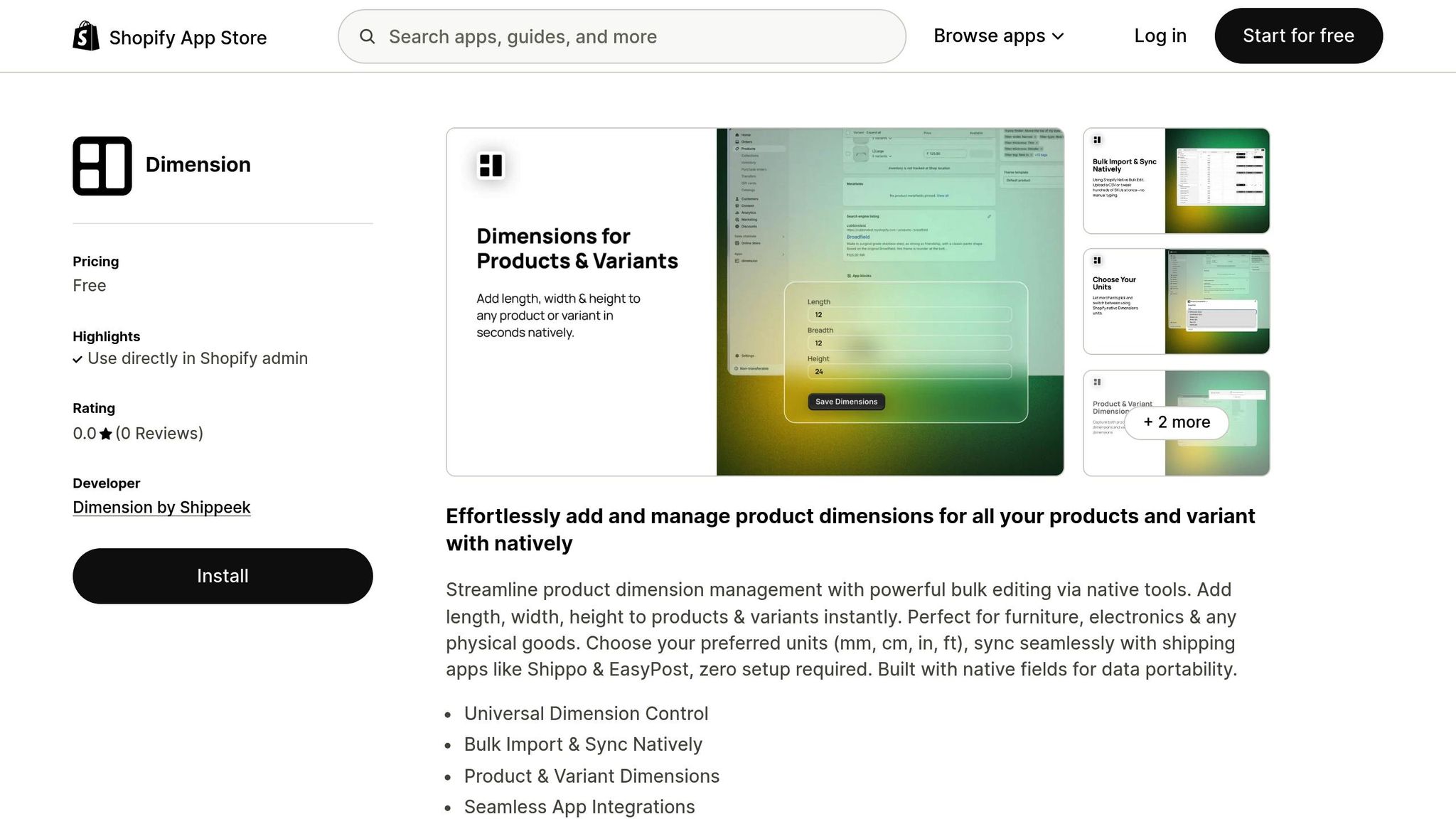
Shopify doesn’t natively support dimensional weight calculations, but the Dimension app by Shippeek can fill this gap. Here’s how to set it up:
-
Go to the Shopify App Store, find the Dimension app, and click Add app to install it. Make sure to grant the necessary permissions for accessing product, variant, and metafield data.
-
Open the app and Enable the app(enabled by default)
-
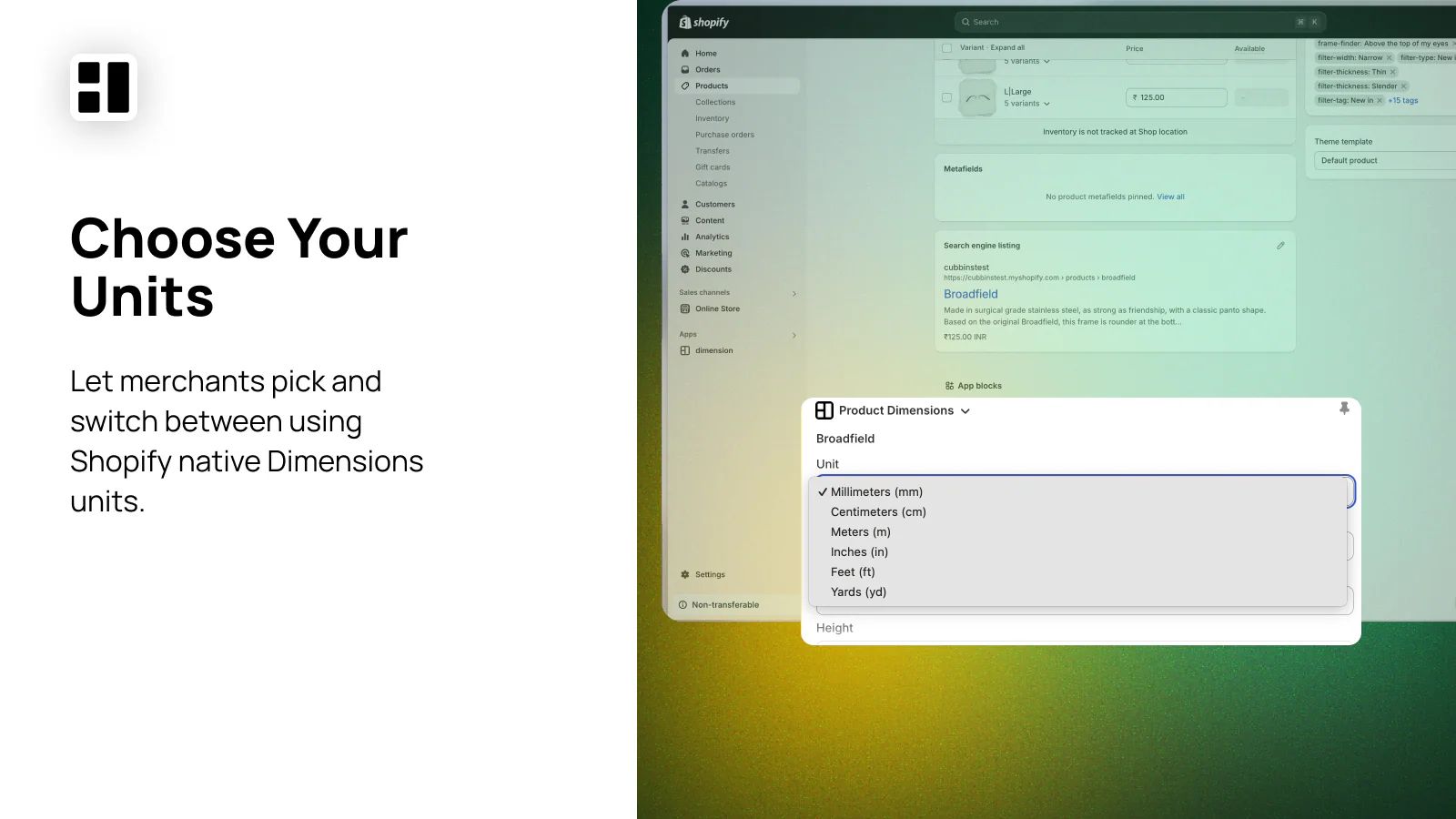
Now go to your product(any product) at the bottom in App blocks. your will see the “Product Dimension” set your preferred unit of measurement, such as inches, centimeters, millimeters, or feet.
-
Add product dimensions (length, width, and height) within the app. You can enter them manually for individual products or use the bulk editing feature to save time, especially if you’re handling a large catalog.
-
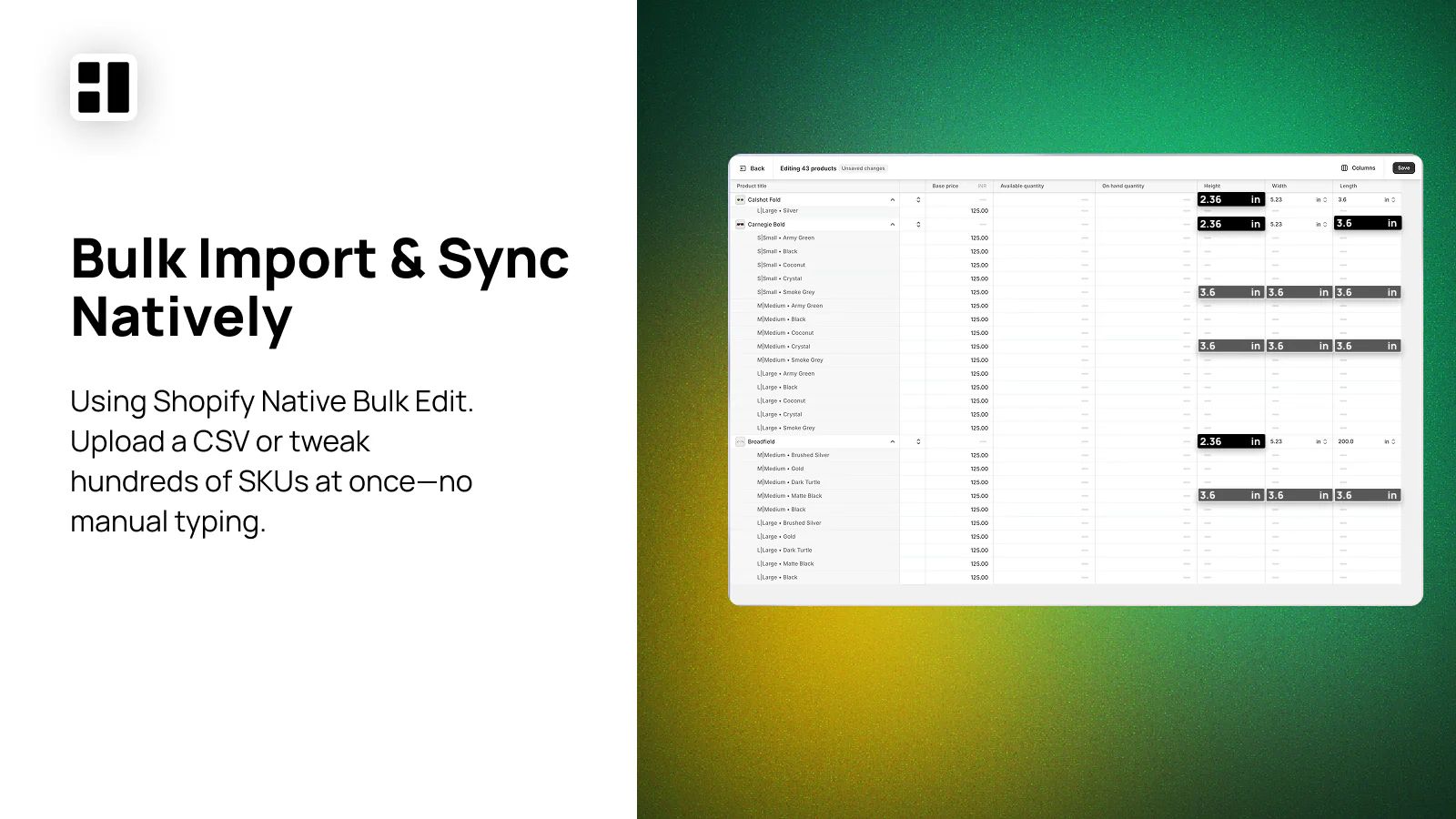
For even faster updates, take advantage of the bulk editor feature of shopify to upload dimensions in one go.
-
The Dimension app integrates seamlessly with shipping tools like Shippo and EasyPost. Once your product dimensions are entered, these integrations use the data to calculate accurate shipping rates based on dimensional weight.
After setting up the app, it’s time to test everything to ensure it works as expected.
Test and Validate Your Shipping Settings
Testing is a crucial step to avoid surprises during live orders. Create sample orders to verify the following:
-
Shipping rates are calculated correctly using the dimensional data entered in the Dimension app. The app’s live integration with tools like EasyPost and Shippo ensures rates are based on dimensional weight.
-
Shipping zone settings are applied properly so customers see the right options at checkout.
-
The dimensional data you’ve entered is being used by carrier APIs for accurate rate calculations.
sbb-itb-8138a00
Using Dimension App in Shopify
Configure Dimensional Weight
Precise measurements are the backbone of accurate dimensional weight calculations. The Dimension App allows you to input length, width, and height directly within your Shopify admin. You can even choose your preferred units and update dimensions in bulk - ideal for stores with extensive product catalogs.
Make sure to enter exact values for length, width, and height to ensure your dimensional weight calculations are spot-on.
Connect Carrier APIs for Live Rates
The app takes things a step further by syncing your product dimensions with shipping platforms like Shippo and EasyPost. According to the app documentation:
“sync seamlessly with shipping apps like Shippo & EasyPost, zero setup required.” [1]
Once you’ve entered your product dimensions into the Dimension App, the data automatically integrates with these carriers. This ensures that live rate calculations always use the most up-to-date and accurate dimensional details.
With this dynamic carrier integration, you’ll have a solid foundation for refining your shipping strategy.
Optimize Your Shipping Setup
The Dimension App doesn’t just stop at syncing dimensions. You can also integrate these details with Shopify’s native shipping tools, enabling precise and flexible setups. Plus, the app ensures your dimensional data is portable and easily accessible. This means you can adapt your shipping workflow as needed without losing valuable information.
After Migration: Making Sure Everything Works
Once you’ve completed the initial setup, it’s time to ensure everything is running smoothly. A successful migration to Shopify is only complete when your shipping settings work exactly as intended. This final step, with the help of the Dimension App, ensures accurate shipping calculations and a seamless transition.
Test and Resolve Shipping Issues
Start by reviewing your product dimensions across your entire catalog using the bulk editing tools in the Dimension App. Then, run test orders with different product sizes to confirm that live shipping rates are calculated correctly.
Double-check that your integrated shipping apps are receiving accurate dimensional data. Look into the settings and data logs of these apps to verify that the dimensional weight calculations match the information managed by the Dimension App. If you spot any inconsistencies, revisit your carrier connections and dimension settings to fix the problem.
Optimize with the Dimension App
After successful testing, use the Dimension App to maintain and refine your shipping setup. The app’s native field storage ensures your shipping data stays portable and easy to access. Whenever you add or update products, use the app’s bulk editing features to keep your dimensional data up-to-date and fully integrated with Shopify’s tools.
Keep an eye on shipping cost accuracy by comparing the rates quoted to customers with the actual charges from carriers. If discrepancies show up consistently, review the dimensional data for those products. Take advantage of the app’s native Shopify fields to ensure your data remains portable and ready for any future needs. Regularly auditing your shipping performance - checking dimensional accuracy, rate calculations, and carrier reliability - can reveal additional ways to improve efficiency and accuracy.
Conclusion: Easy Migration with Dimension App
For merchants moving from BigCommerce to Shopify, the Dimension App streamlines the migration process without compromising shipping accuracy or wasting time on tedious manual updates. It introduces essential dimension management features directly into your Shopify admin, making the transition smoother and more efficient.
With no setup required, you can start managing product dimensions right away. The app’s bulk editing tools allow you to update dimensions across your entire product catalog quickly, saving time - especially crucial for businesses handling large inventories like furniture or electronics, where dimensional weight plays a big role in shipping costs.
One standout feature is the app’s use of Shopify’s native fields for storing dimensional data. This ensures your data remains portable and easily accessible, even after migration. Plus, its seamless integration with shipping platforms like Shippo and EasyPost ensures that accurate dimensions are sent to carrier APIs, enabling precise live rate calculations.
Best of all, the Dimension App is completely free [1]. This removes any financial hurdles, allowing businesses to maintain shipping accuracy without increasing their migration budget. Whether you’re a small business or managing a large-scale operation, this app offers advanced dimension management without extra costs.
With its no-cost model, quick implementation, and powerful features, the Dimension App is an obvious choice for BigCommerce merchants transitioning to Shopify while prioritizing shipping precision.
FAQs
How can the Dimension App simplify shipping when moving from BigCommerce to Shopify?
The Dimension App makes shipping easier by allowing direct management of product dimensions - length, width, and height - right inside Shopify. This ensures shipping calculations are precise and eliminates the hassle of manual changes. On top of that, it works effortlessly with shipping platforms like EasyPost and Shippo, simplifying the setup and management of your shipping workflows. The app also supports bulk editing of product dimensions using shopify editor/csv, which is especially helpful when transitioning from BigCommerce to Shopify.
How can I ensure my product dimensions and shipping data are accurately transferred from BigCommerce to Shopify using the Dimension App?
To make sure your product dimensions and shipping details are handled without a hitch, start by using the Dimension App to enable the extension of product and variant. As Dimension App was build as a native layer you can just use bulk product editor where you will see these new fields like Length, Width, Height. Once your product data is ready, most of the app with shipping platforms like EasyPost or Shippo will automatically identify these values. This connection helps simplify and organize your shipping operations, ensuring smoother workflows. Finally, take a moment to review everything. Double-check that all product dimensions and shipping information are accurate and consistent. This extra step can help prevent any hiccups during order fulfillment.
Can the Dimension App handle bulk updates for large product catalogs and integrate with shipping services like Shippo and EasyPost?
The Dimension App simplifies managing extensive product catalogs by leveraging Shopify's bulk editing tools. This feature allows you to efficiently update and adjust product and variant dimensions, cutting down on time and effort. On top of that, the app works seamlessly with shipping platforms like Shippo and EasyPost. This integration ensures accurate shipping rates and streamlines the shipping process, making the move from BigCommerce to Shopify as smooth as possible.